Member Guide
Sugar Dating
Profile Photo Guide
Your photo is your first message.
We've reviewed thousands of profiles and tested what actually earns favourites and replies. This is everything we learned, in one page.
How to frame your photo
Every SugarDaddyClick photo is displayed as a 3:4 portrait. Put your face in the first third of the frame — that's what members see first in browse, chats and favourites.

Do this
Face in the top third, clearly visible, shoulders in frame.
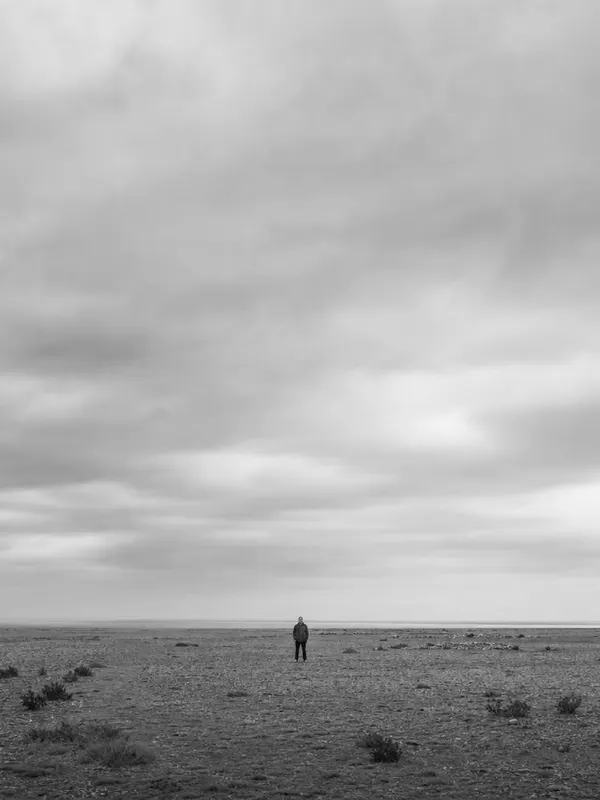
Too far away
Tiny, distant figures get scrolled past.
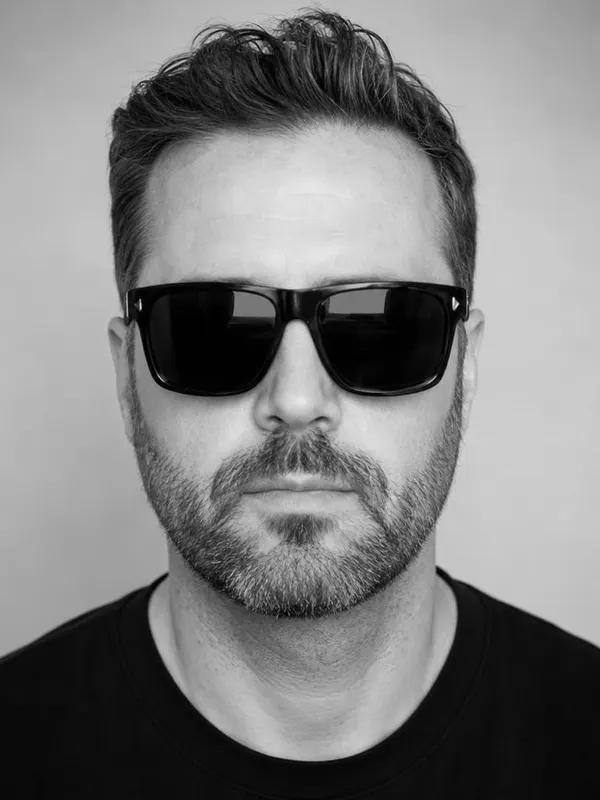
Sunglasses
Hidden eyes measurably reduce replies.
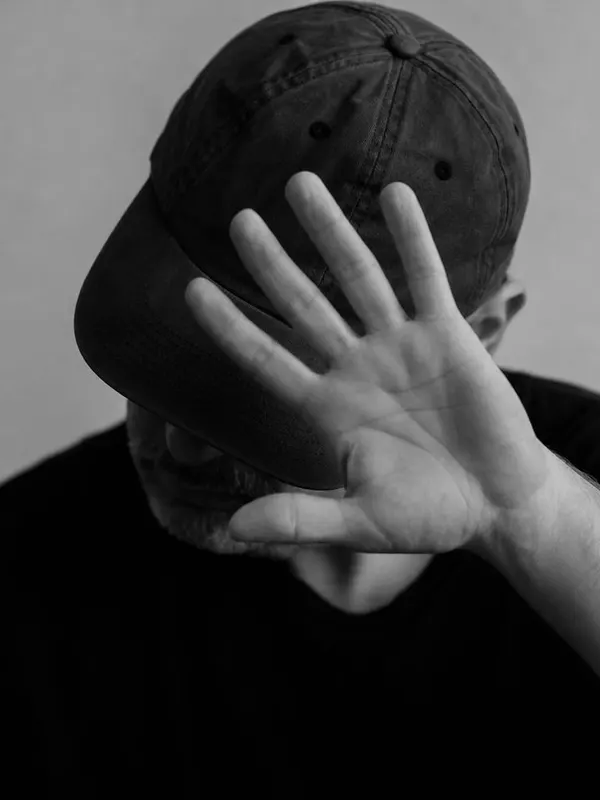
Face hidden
Covering your face reads as a red flag, not mystery.
Practical photo guidelines
Face in the top third, clearly visible
We crop every photo to a 3:4 portrait. Frame yourself so your face sits in the first third of the photo — sharp, well-lit and recognisably you. Leave enough room around your head for the crop.
Natural light, recent photo
Daylight near a window beats any filter. Use a photo taken within the last twelve months that honestly looks like you today.
No sunglasses
Choose a main photo without sunglasses so people can see your eyes and recognise your face. Save sunglasses or holiday shots for additional photos rather than your main portrait.
Don't hide or obscure your face
Avoid cropped-out faces, heavy shadows, hands covering your face or hats pulled low. A clear, front-facing portrait makes it easier for other members to recognise you.
No catfish photos
Never use someone else's photo, AI-generated images, or heavily edited pictures as your profile photo. Use a recent photo of yourself. Profile photos are subject to moderation, and misrepresenting yourself is grounds for removal.
Your main photo, plus more of you
You can add up to six photos to your profile. Choose a clear, recent portrait as your main photo: this is the image people see on your member card. Additional photos appear in your profile gallery, where members can browse them at their own pace. Photos show what you look like; your bio explains what you enjoy and what you’re looking for. For help with the words, see the finding guide’s profile bio examples and writing advice.
Use natural colour photos that show different sides of your life, such as an everyday portrait, a favourite activity or a recent outing. Keep your face visible and avoid duplicate shots, heavy filters and other people's identifying details. Each upload is cropped to a 3:4 portrait. In Account, you can add photos, choose a different main photo, or remove a photo while keeping at least one.
Before you upload — checklist
- Taken in the last 12 months and honestly looks like you
- Face in the top third of the frame, in focus
- No sunglasses — eyes visible
- Natural light, plain or uncluttered background
- Just you in the photo — no group shots
- No filters, no AI, no other people's photos
Everything on this page is free. If you would like a person to look at your photo order and privacy choices, SDC is piloting an optional dating profile and messaging review for SDC or other platforms.